
AI
Smart Mind does two things with AI: it can generate a whole map from a sentence, and it can expand one topic into more topics. That is the entire feature. Everything else in the app works with no network at all.
Generate a map from a sentence
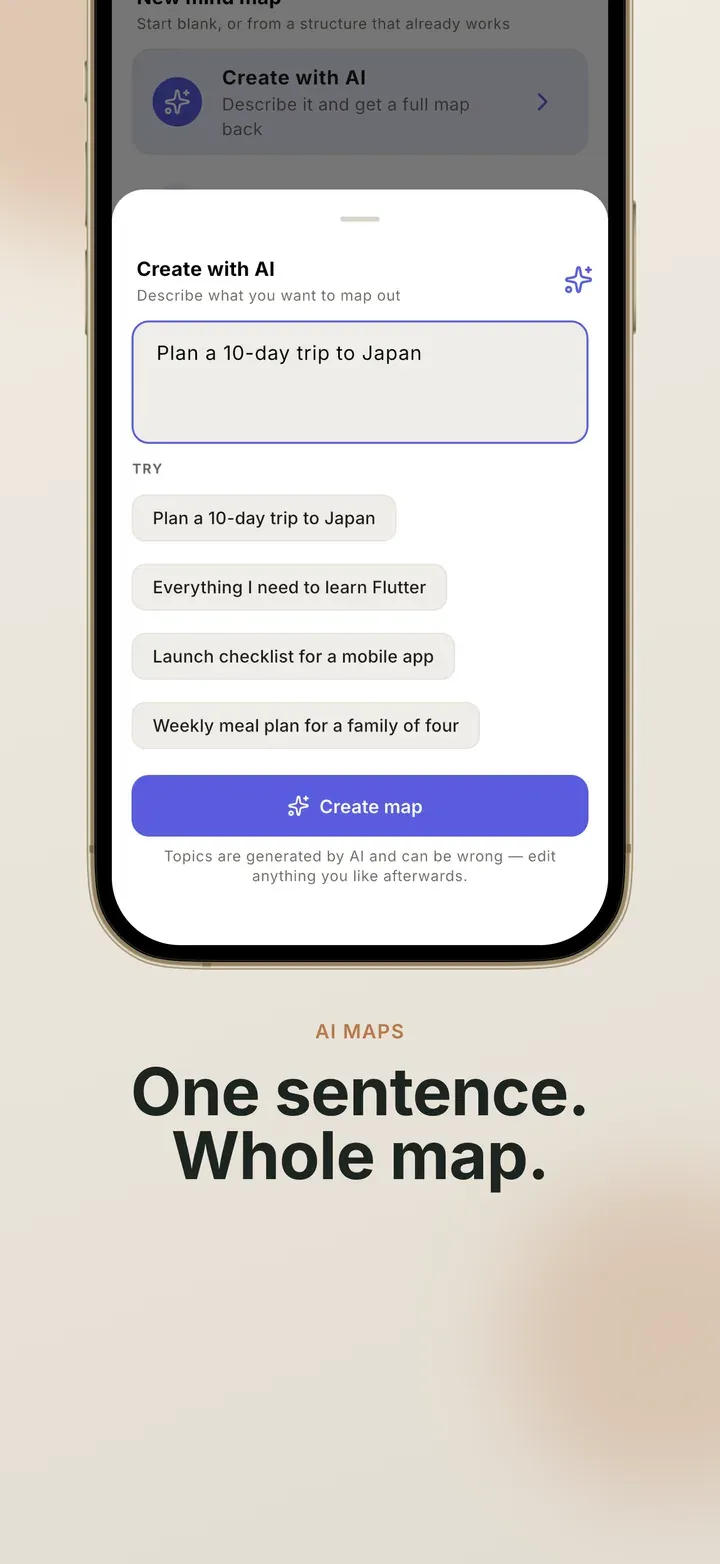
Section titled “Generate a map from a sentence”Tap Create with AI on the New mind map sheet, describe what you are thinking about in a sentence, and you get a structured map back.
What comes back is a map like any other. It arrives with your default layout and your default theme, every topic is ordinary editable text, and nothing records that AI made it. You can rename, restyle, move, delete, undo and export it exactly as if you had typed it yourself.
Expand one topic
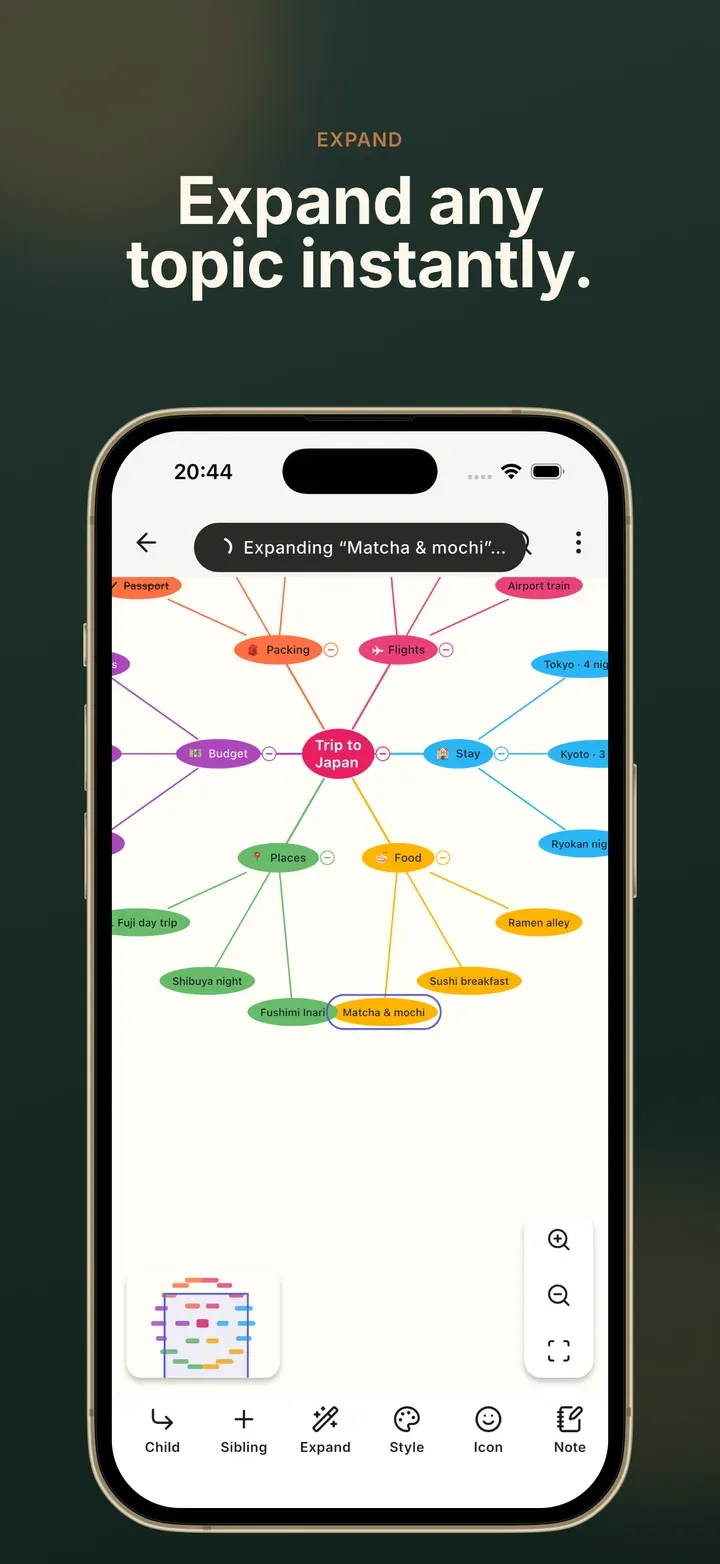
Section titled “Expand one topic”Select any topic and choose Expand. Up to five sub-topics are added underneath it. It is on the selection toolbar on the canvas, and on the keyboard bar in the outline view.
Expanding adds the new topics straight to the map rather than showing you a preview to approve first. The map is the preview: the whole batch is one undo entry, the new topics are left selected, and the toast that appears carries an Undo. If the parent topic was collapsed, expanding opens it, because adding topics you cannot see looks the same as nothing happening.
What it will not do
Section titled “What it will not do”- It only ever produces text. It never picks your colours, icons, layout or theme.
- There is no rewrite, no summarise and no auto-styling. Two actions is the whole surface.
- You cannot set how big a generated map is. Depth and topic count are fixed, so the sheet does not offer sliders it could not honour.
Availability and limits
Section titled “Availability and limits”AI is the one part of Smart Mind that talks to a server, and it is metered rather than open-ended. You can try both actions on the free tier; Pro raises the allowance to a level meant for everyday use. Free and Pro compares the two.
If AI is unavailable, the buttons are hidden rather than shown and failing.
Related
Section titled “Related”- Make a map with AI — step by step, with tips for better prompts
- Your first map — the basics, by hand
- Privacy — everything else that does, and does not, use the network
- Features — everything else the app does
 Mind Map: Smart Mind
Made by MyGems · © 2026 MyGems